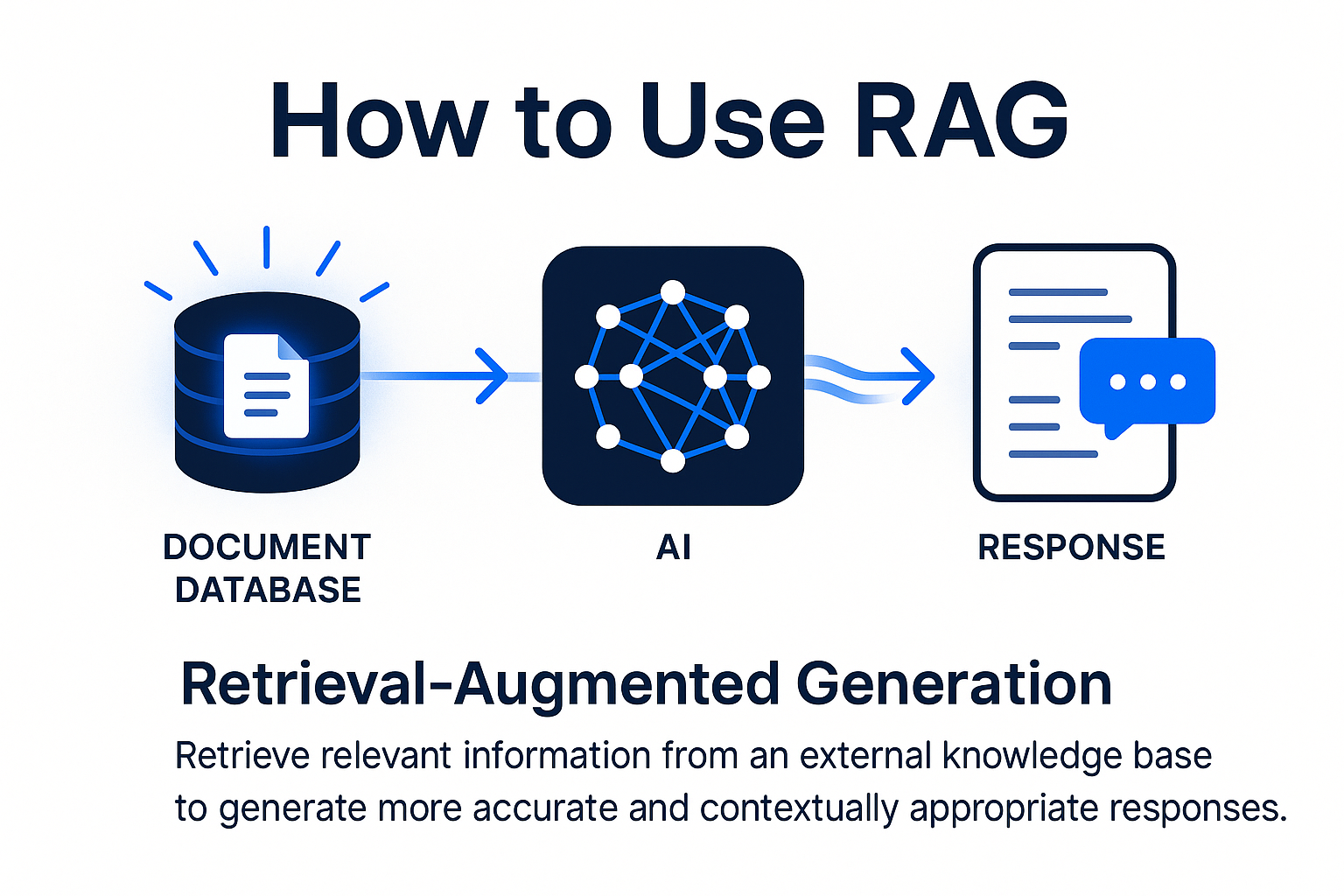
How to Use RAG: A Practical Guide to Retrieval-Augmented Generation
Large language models know a lot, but they don't know your data. They can't cite your company's documentation, reference last quarter's sales figures, or answer questions about the proprietary system you built last year. RAG fixes this by letting you feed external information into an LLM at query time, turning a general-purpose model into something that speaks your language.
Retrieval-Augmented Generation isn't new — Meta published the foundational paper in 2020 — but it's become the default architecture for anyone building AI applications that need factual grounding. If you've used ChatGPT's file upload feature or queried a customer support bot that actually knows your account details, you've encountered RAG.
What RAG Actually Does
The concept is straightforward: when a user asks a question, you search a knowledge base for relevant context, then pass that context to the LLM along with the question. The model generates an answer based on what you retrieved, not just what it memorized during training.
This solves three problems at once. First, hallucinations drop dramatically because the model works from provided facts rather than improvising. Second, you can update the knowledge base without retraining the model — add a new product manual today, and queries about it work tomorrow. Third, you maintain control over what information the model can access, which matters for compliance and security.
The trade-off is latency. Every query now involves a retrieval step before the generation step, adding 100–500ms depending on your setup. For most applications, that's acceptable.
Building the Knowledge Base
Your knowledge base is just a collection of text chunks paired with vector embeddings. Start by gathering your source documents — PDFs, wikis, databases, whatever holds the information you need. Then split them into chunks, typically 200–1000 tokens each. Chunk size is a tuning parameter: smaller chunks retrieve more precisely but lose context, larger chunks do the opposite.
You'll need an embedding model to convert each chunk into a vector. OpenAI's `text-embedding-3-small` works well and costs almost nothing. Open-source options like `bge-large` or `e5-mistral` perform comparably if you're running locally. The embedding model turns semantic meaning into coordinates in high-dimensional space — chunks about similar topics cluster together.
Store these embeddings in a vector database. Pinecone and Weaviate offer managed services. Qdrant and Milvus run on your infrastructure. Even PostgreSQL can handle this with the pgvector extension if your scale is modest. The database's job is simple: given a query vector, return the N most similar chunk vectors fast.
Metadata matters more than most tutorials admit. Tag each chunk with its source document, creation date, section heading, or any other attribute you might filter on. When someone asks about "last year's policy," you want to search only chunks from that timeframe.
The Retrieval Step
When a query arrives, you embed it with the same model you used for your chunks. Then you search the vector database for the top 3–10 most similar chunks. This is where experimentation pays off.
Some queries need narrow retrieval — "What's the return policy?" should pull exactly the return policy section. Other queries need breadth — "How does the product work?" might need chunks from setup, features, and troubleshooting. You can tune this with the similarity threshold (only return chunks above 0.7 similarity) or the result count.
Hybrid search often beats pure vector search. Combine semantic similarity with keyword matching, especially for queries with specific terms, product codes, or names. Most vector databases support this natively. Weaviate calls it BM25+vector, Pinecone calls it sparse-dense search.
Reranking improves results further. After vector search returns 20 candidates, run them through a cross-encoder model that scores how well each chunk actually answers the query. Keep the top 5. Models like `bge-reranker` or Cohere's rerank API handle this. The latency hit is 50–100ms, but the quality gain is measurable.
Prompting with Context
Now you have relevant chunks and a user question. Your prompt to the LLM looks like this:
Answer the question using only the context below. If the context doesn't contain the answer, say so.
Context:
[chunk 1 text]
[chunk 2 text]
[chunk 3 text]
Question: [user query]
That's the basic template. You'll refine it based on how the model behaves. Some models need explicit instructions to cite sources ("Include the source document name in your answer"). Some need to be told not to speculate ("Do not use information outside the provided context").
Token limits constrain how much context you can include. GPT-4 Turbo handles 128k tokens, but you pay for every token and latency scales with context length. In practice, 3–5 chunks totaling 2000–4000 tokens hits the sweet spot for cost and speed.
If your retrieved chunks exceed the limit, you have options. Summarize each chunk before including it (costs an extra LLM call). Use a smaller, faster model for the final generation (GPT-3.5 instead of GPT-4). Or implement a two-pass system where you first filter chunks by relevance, then generate from the filtered set.
Measuring What Works
RAG systems fail quietly. The retrieval step might return irrelevant chunks, or the generation step might ignore good context, and the user just gets a mediocre answer. You need metrics.
Track retrieval precision: what percentage of retrieved chunks are actually relevant to the query? Build a test set of 50–100 queries with hand-labeled relevant chunks, then measure how often your top-5 results include them. Anything below 60% means your embeddings or search logic need work.
Track answer quality with LLM-as-judge. For each test query, have GPT-4 rate the generated answer on accuracy, completeness, and groundedness in the provided context. This scales better than human eval and correlates well with user satisfaction.
Monitor retrieval latency separately from generation latency. If 90% of your response time is retrieval, optimize your vector database setup or switch to a faster one. If it's generation, consider a smaller model or shorter context.
When RAG Isn't Enough
Some problems need more than retrieval. If users ask multi-step questions ("Compare product A and B, then recommend one based on my use case"), you need an agent that can plan, retrieve multiple times, and reason across results. LangChain and LlamaIndex provide agent frameworks, but they add complexity.
If your knowledge base changes constantly — think stock prices or live inventory — you need a hybrid system that queries databases directly for structured data and uses RAG for unstructured content. The LLM can learn to route queries to the right source.
If accuracy requirements are extreme (medical, legal, financial), RAG alone won't cut it. You'll need human review, confidence scoring, and probably fine-tuned models trained on domain-specific data. RAG is a component, not the whole solution.
FAQ
How much does it cost to run a RAG system?
Embedding 1 million tokens costs about $0.13 with OpenAI's models, and you do this once per document. Vector database hosting runs $20–200/month depending on scale. Per-query costs are 1–3 cents for embedding the question plus 2–10 cents for LLM generation, so a system handling 10,000 queries/month costs $300–1,300 in API fees. Self-hosting cuts this by 60–80% but adds engineering time.
Can I use RAG with open-source models?
Yes. Llama 3.1, Mistral, and Qwen all work well for RAG generation. Pair them with open-source embedding models like `bge-large` and you can run the entire stack locally. Performance trails GPT-4, but for internal tools or cost-sensitive applications, it's viable. Expect to spend time on prompt engineering and tuning.
What's the minimum dataset size where RAG makes sense?
If your knowledge base fits in 10,000 tokens, just include it in every prompt as context — no retrieval needed. RAG becomes worthwhile around 50,000 tokens (roughly 100 pages of text) where selective retrieval beats dumping everything into context. Below that threshold, the engineering overhead outweighs the benefits.